AI Coaching via SMS
Last updated: November 17, 2026
How texting enrollment works
Texting depends on service and carrier availability. If enrollment is unavailable in your account, you can keep talking with your AI coach in Roni. When available:
- Sign in to your Roni account
- Save your intake on the Coach page
- Enter your phone number and quiet hours (quiet hours affect proactive check-ins only; verification and direct replies can arrive during quiet hours)
- Read the disclosures and check the optional consent box in your account
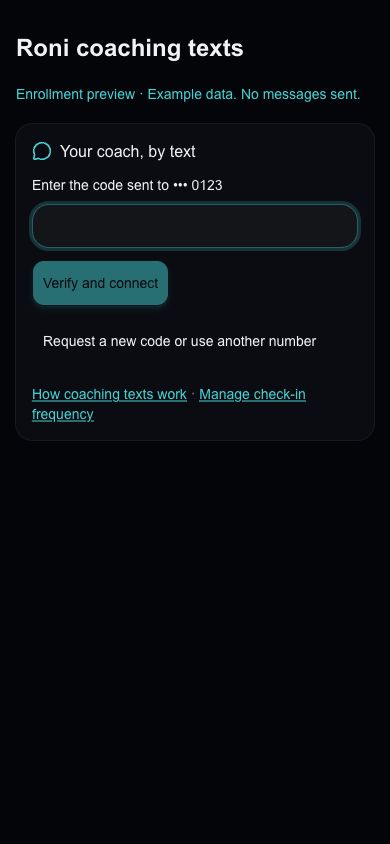
- Request a one-time verification text and enter its code to confirm your number
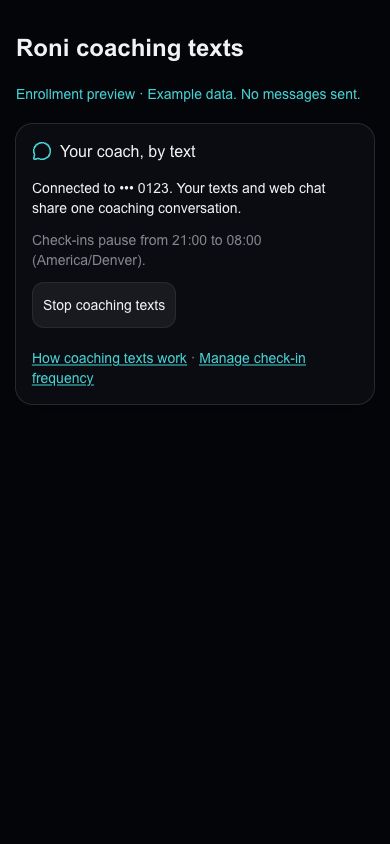
- Coaching is connected and messages begin
The code confirms your phone number for coaching. Signing in to Roni does not require texting enrollment. Coaching texts include replies to your fitness questions and optional check-ins, with no marketing or promotional messages.
Open texting setupConsent example
The consent box in your account starts unchecked. This is the exact wording shown there:
I agree to receive recurring automated AI coaching texts from Roni at this number, including coaching replies and optional check-ins. Message frequency varies with my replies and check-in preferences. Message and data rates may apply. Reply STOP to unsubscribe or HELP for help. Consent is optional and is not a condition of purchase.
This example does not enroll you or send a message. Read the SMS terms and SMS privacy policy.
What enrollment looks like
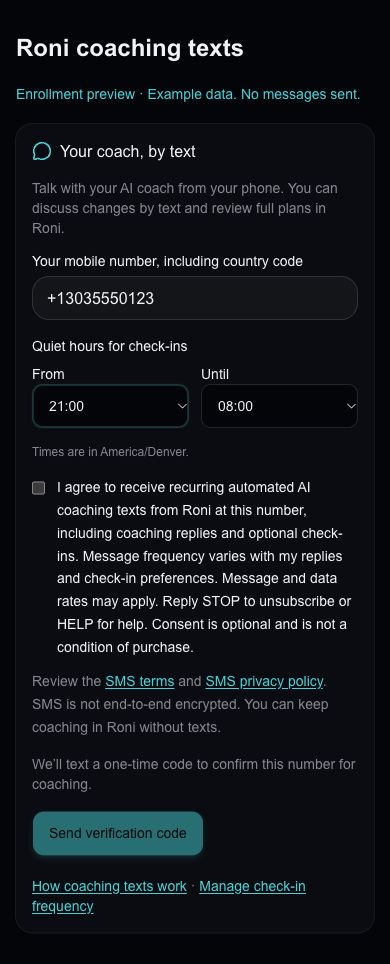
Enrollment is inside your signed-in account, so these screenshots show the actual form at each step. They use a fictional phone number and mocked verification. No messages are sent. Select an image to open it full size.
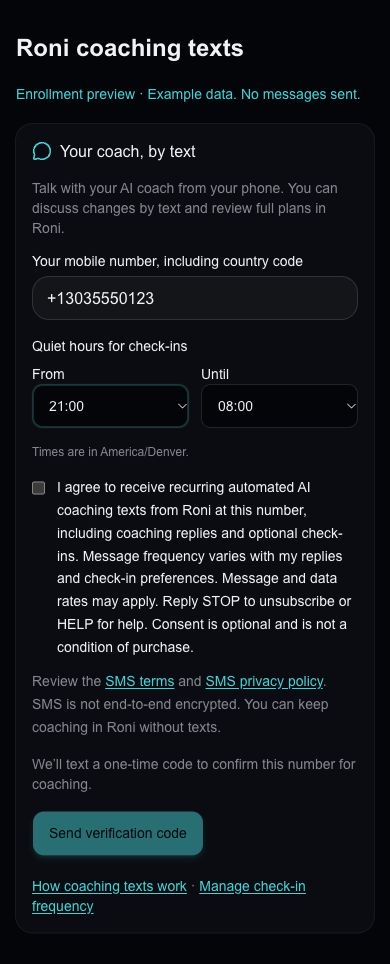
1. Enter a number and check the unchecked consent box 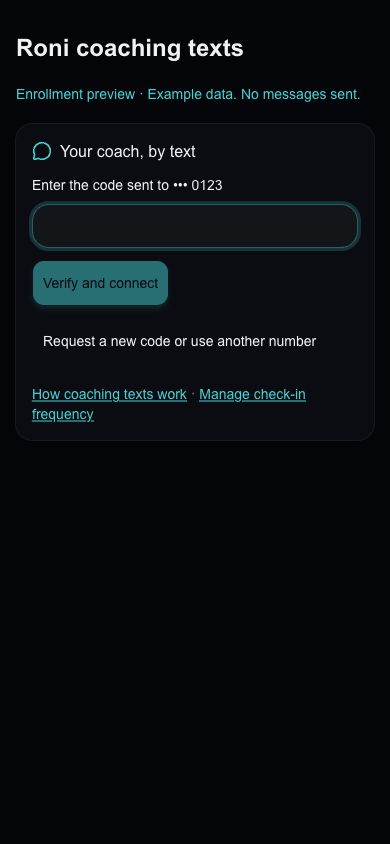
2. Enter the one-time code that confirms the number 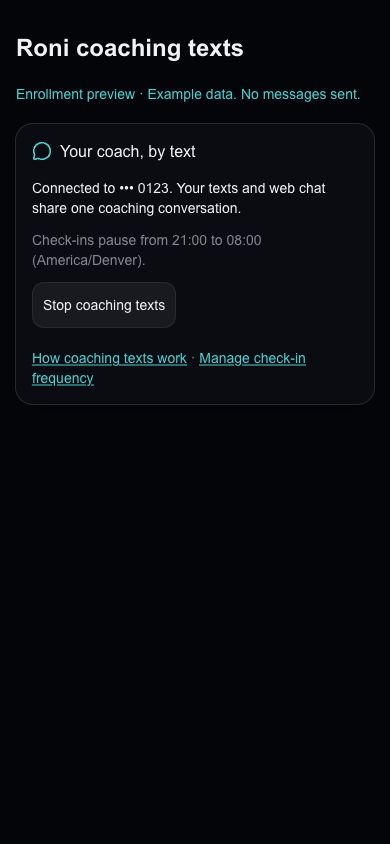
3. Coaching connects, with a Stop button to end texts
Privacy and data handling
For details about how your phone number, consent, verification data, connection metadata, and message contents are processed, see our Privacy Policy. Key points:
- Your phone, consent record and quiet-hour preferences are stored in your account
- Verification and SMS transport are handled by Twilio and telecom carriers
- Your selected AI provider processes SMS content and relevant Roni context under the AI and third parties privacy disclosures
- Messages are not end-to-end encrypted; do not send sensitive information via text
- No sale or sharing of mobile phone/opt-in data for marketing or promotional purposes
- Roni retains connection/consent records and message history as account records until account deletion
- STOP stops coaching sends but does not delete history; providers retain records under their policies
Operator
Roni is operated by Techie Industries LLC.
Support
Questions about SMS coaching? Email support@roni.coach.